Thursday, 10 January 2013

How to setup a 4K Collage display rig on GIGABYTE dual thunderbolt motherboard

4k_banner_WHITE

Earlier this week we announced support for 4k UltraHD displays using Intel Collage technology and our dual thunderbolt motherboards. Although the setup process is actually reasonably straight forward, I thought today I’d give you quicky guide as to how it all works. Let’s kick off with a list of the things you will need
 

Stuff You Will Need

clip_image002
Motherboard – A PC built using any GIGABYTE 7 series dual Thunderbolt motherboard.

Processor – Any 3rd generation Intel® Core™ i5 or Core™ i7 processor supporting Intel®HD4000 processor graphics.

HD Displays - Four displays supporting 1920 x 1200 or 1900 x 1080 native resolutions with DisplayPort interfaces. For Intel Collage vertical mode you may also require a stand to hold the four displays in position.

Intel Collage driver – This will be released later this month, downloadable from the motherboard product download page – as per a regular VGA driver update.

DisplayPort Splitter Dongles - Finally, you also need two DisplayPorts splitter dongles plus DisplayPort cables that allows you connect four displays using the onboard Mini DisplayPorts of your GIGABYTE motherboard.

4k-002 Here’s the splitter adapter from Lenovo that we used. 

Installation

Step 1: Connect the PC

First, you connect the two display port cables to the mini-Display Ports on the motherboard back panel. Each of these DisplayPort cables can then be connected to the splitter dongle. Note: Depending on which splitter dongle you are using, you may need to use DisplayPort to Mini DisplayPort adapter cables.

P1110098


Step 2: Connect the DisplayPort splitter dongles.

Now you can connect the two additional DisplayPort cables from each of the two splitter dongles. These will then be used to connect your standard HD displays.

4k-005

Step 3. Connect the Four Displays

Next you can connect the four DisplayPort cables coming from the two splitter dongles to the respective displays. In the image below you can see the four displays setup in vertical mode. You can see that purchased a really sturdy stand that can easily hold all Dell displays in place, offering plenty of adjustment points so you can get a really flat front viewing surface.
P1110113

Step 4. Install the Intel® Collage driver.

This is a special Collage driver developed by Intel and GIGABYTE that allows you create a 4K UltraHD resolution (3840 x 2400 pixel) desktop environment across your four standard HD displays. You can download the specific Intel® driver for your motherboard at the respective product page of our website. Follow the onscreen instructions during the installation process as you would with a regular VGA driver install. You then be asked to restart your system.
 

Step 5. Configure the Intel Collage Driver

Once installed, you can find the Intel Graphics and Media Control Panel in the bottom right corner of the screen. Right click the icon and select Graphics Properties. This is the software used to control and configure the Intel® Collage driver.

4k-008
For Vertical Mode on four displays, first you must select Clone Mode from the ‘Operating Mode’ drop-down menu. Then select a screen resolution of 3840 x 2400 or 3840 x 2160 depending on the native resolution of your displays.


4k-009 
  4k-010

For ‘Horizontal Mode’ you must first select ‘Extended Desktop’ from the ‘Operating Mode’ drop-down menu, then a screen resolution of either 7680 x 1200 or 7680 x 1080 depending on the native resolution of your displays.

And that’s it. You can find more info about compatible components and more here at the GIGABYTE website.



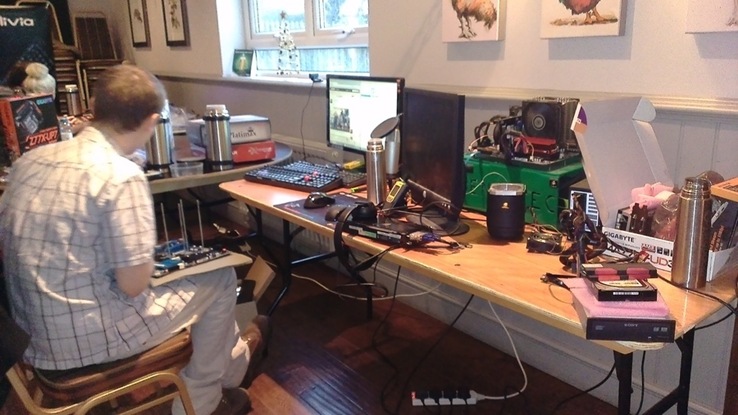







Overclock.net meet in Sussex for a Christmas LN2 session: In photos

UK-based Overclock.net members got together over the festive season to squeeze in some LN2 fuelled fun. Here are some photos of the event, replete with captions for those of you who like to put names to faces… or perhaps I should say names to overclocking rigs.

900x900px-LL-25069242_1205740

Setting up Livestream and Board

900x900px-LL-6c03112b_1205742 

Scooter doing some 2d on the UP7

900x900px-LL-1a5d8c66_1205745

Hiviz left, Blindfitter right

900x900px-LL-d0d127ae_1205747

Gappo Insulating UD3

900x900px-LL-1472b184_1205755

Dualists super heavy homemade CPU pot on 3770k + up7 & OCN chubby GPU pot on a 7970

Overclock.net is also currently running a MultiThread Mayhem II contest where as well earning some pocket money, challengers will also have the chance to win great GIGABYTE motherboard prizes.

MTMII

Check it out at Overclock.net here.

Wednesday, 9 January 2013

Video: PC Perspective talk to GIGABYTE at CES 2013

PC Perspective’s Ryan Shrout was at our suite in Las Vegas yesterday, talking Colin Brix about our support for 4K displays using Intel’s Collage technology and our forthcoming Thin Mini-ITX offerings that are designed for all-in-one and embedded PC designs.

You can learn more about our 4K UltraHD support here.

Monday, 7 January 2013

GIGABYTE to debut 4K Collage Technology at CES 2013

4k_banner_WHITE

A few months ago GIGABYTE announced its support for the latest UltraHD 4K resolution displays on our Dual Thunderbolt motherboards. The reason we were able to do this ahead of the competition was quite simple; in pure hardware terms Thunderbolt ports are basically Mini DisplayPorts (at least as far as display connectivity is concerned), and by having two of them, each capable of a 2K video stream, you’re right in the zone for full UltraHD or 4K display support.

Of course the really cool thing about our 4K support is that you’re able to power a 4K display directly from the Processor Graphics of your Intel Core i5 or i7 processor (or any that supports the Intel HD4000 graphics engine). You do not need a high-end GPU or discrete card installed. Your Ivy Bridge chip handles 4K video just fine.

However, one issue that has been abundantly apparent (until this week at least), is that 4K displays and TVs have been somewhat thin on the ground, and when they are available, they tend to be the most expensive piece of kit on the showroom floor. While this week’s CES show is predicted to see dozens of new 4K capable displays and TVs announced and showcased, the truth is that 4K device prices will inevitably remain pretty high for the foreseeable future. This is where Intel’s new Collage technology comes in.

GIGABYTE-4K-UltraHD-Collage-Display-Front

Intel Collage Display Technology is a pretty neat way of setting up a full 4K display using only standard HD displays. The idea is that the video data stream that is split across the two DisplayPorts is then split once again using an adapter to power four displays. With your displays setup in vertical mode (i.e. two displays high, two displays wide) your Windows desktop is spread right across all four displays. See the diagram below.

GIGABYTE-4K-UltraHD-Collage-Display-Vertical

In fact you can also arrange the displays in a more traditional horizontal mode so that your desktop is spread across four displays with an incredible pixel width of 7680 pixels at the standard 1200/1080 height – we’re talking about a massive workspace.

GIGABYTE-4K-UltraHD-Collage-Display-Horizontal-Diagram

Curious to see this in action? No problem. Check out the video below featuring yours truly.


You can find more information plus a setup and device compatibility page on our website here.

Official press release link here:

4k/Collage Facebookphoto set here.

Wednesday, 2 January 2013

Win GIGABYTE gaming hardware at the Tom’s Hardware Sweepstakes

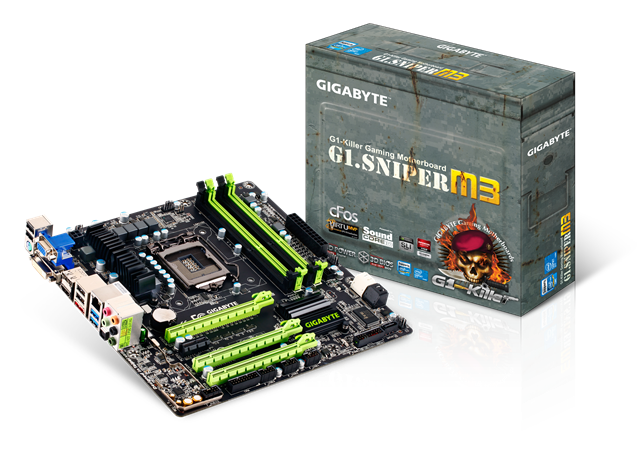
G1_SNIPER_M3The festive season may be over for most of us, but over on Tom’s Hardware there’s still plenty of festive spirit going on with a sweepstake where we’ve teamed up to give away some very nice gaming hardware. Prizes include a  Aivia Osmium Mechanical Keyboard, Aivia Krypton Dual-chassis Gaming Mouse, a Two-sided KRYPTON MAT Gaming mouse pad and best of all a GIGABYTE G1.Sniper M3 motherboard.

Details about how to enter can be found here. Good luck!

GIGABYTE G1.Sniper M3 product page.

Tuesday, 1 January 2013

Video: Sin0822 walks us through the GIGABYTE Z77X-UD4H motherboard

Check this out. Enthusiast and power user Sin0822 takes us on a tour of our recently launched GIGABYTE Z77X-UD4H motherboard, a well balanced board that sits neatly between our UD3H and UH5H models launched last year. As you’d expect, Sin0822 goes once again into pretty impressive depth, mentioning and comparing each and every IC on the board. Very interesting.

Check out detailed specs of the GIGABYTE Z77X-UD4H here.

Check out this cool PC mod in a Harley Davidson skeleton!

We noticed WestCoastMods put up a really unusual looking PC mod on their facebook page. I really like the theme on this one based around a bike frame. GIGABYTE matte black PCB motherboard fits in pretty good into the overall colour scheme as well.

Nicely done fellas! Looks legit Open-mouthed smile

1